
Date / Time
The device operates using UTC time and automatically synchronizes with the configured time server to ensure accurate timestamps for all readings and events.
If synchronization with the time server fails due to loss of internet connectivity or operation in an offline environment, the system time may become inaccurate.
In such cases, manual date and time adjustment is permitted.
After entering the required date and time values, which shall be specified in UTC, press Update to apply the changes.
Note: Once network connectivity is restored and communication with the time server is successfully re-established, the device automatically resumes synchronization and corrects the system time without requiring any manual intervention.
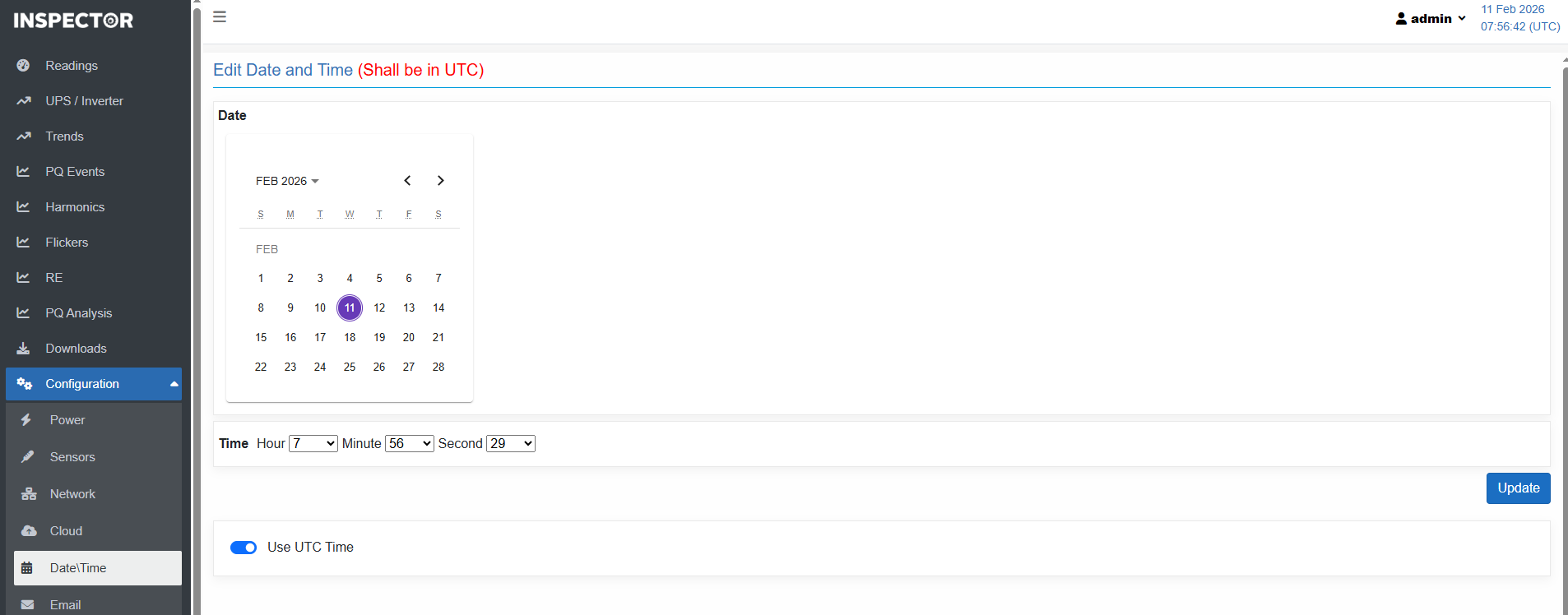
- The system time is always stored and processed in UTC.
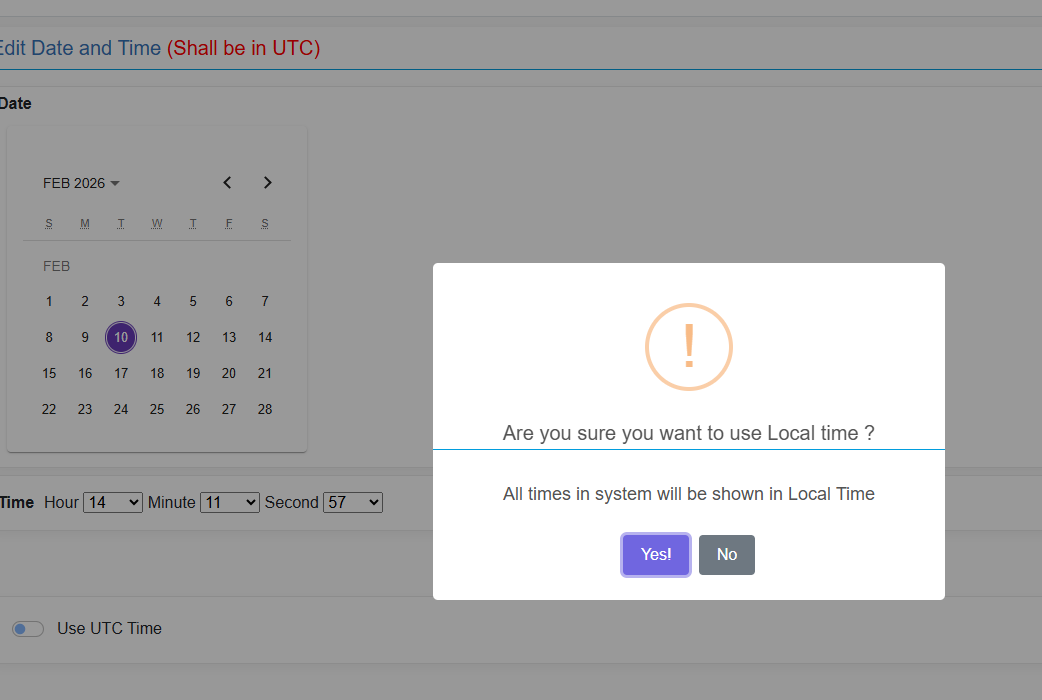
- If Use UTC Time option at the bottom of the page is disabled, the displayed timestamps are converted to the local time zone for viewing purposes only.
- The device continues to store and process all time data in UTC.
- A confirmation message will appear. Click 'Yes' to save changes.
Created with the Personal Edition of HelpNDoc: Upgrade your help files and your workflow with HelpNDoc's WinHelp HLP to CHM conversion