Action Log Page
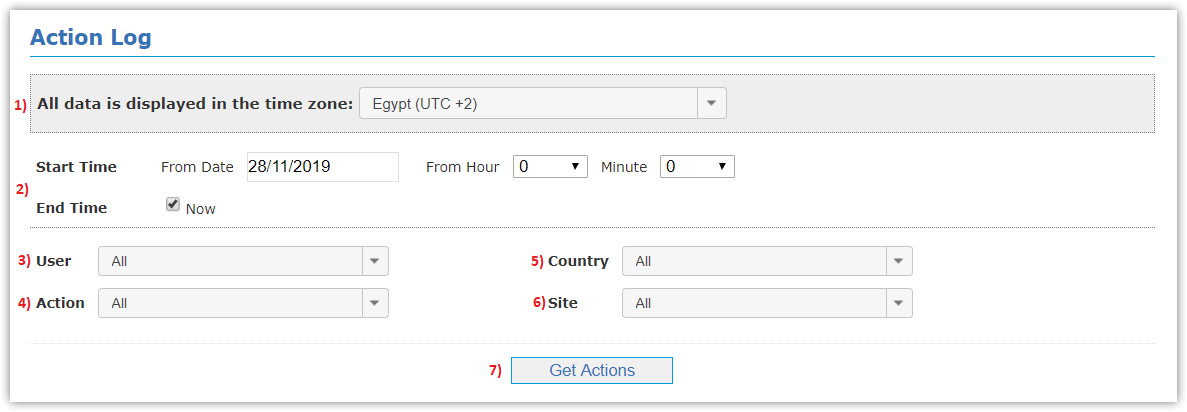
This page represents list of action logs for users as following:
- Select Time Zone.
- Determine Start Time interval you want to show log from, and End Time interval you want to show events to,
and can also select Now to get actions log till right now.
- Select User name/All.
- Select Action type (Login, Alarm Suspension, Alarm Settings Change, etc..).
- Select Country/All.
- Select Site/All.
- Click Get Actions button.
- You can get Excel file of actions log displayed by clicking Generate Excel button.