
Manage Users Page
This page shows up all users’ information (Name, Role,Country, Email Address and Mobile Number).
- Roles:
- Global Admin
- Technical Support Manager
- Region Admin
- Country Admin
- Modality Manager
- Site Admin
- Technician
- Site Watcher
- Modality Watcher
- Country Watcher
- Region Watcher
- Dummy
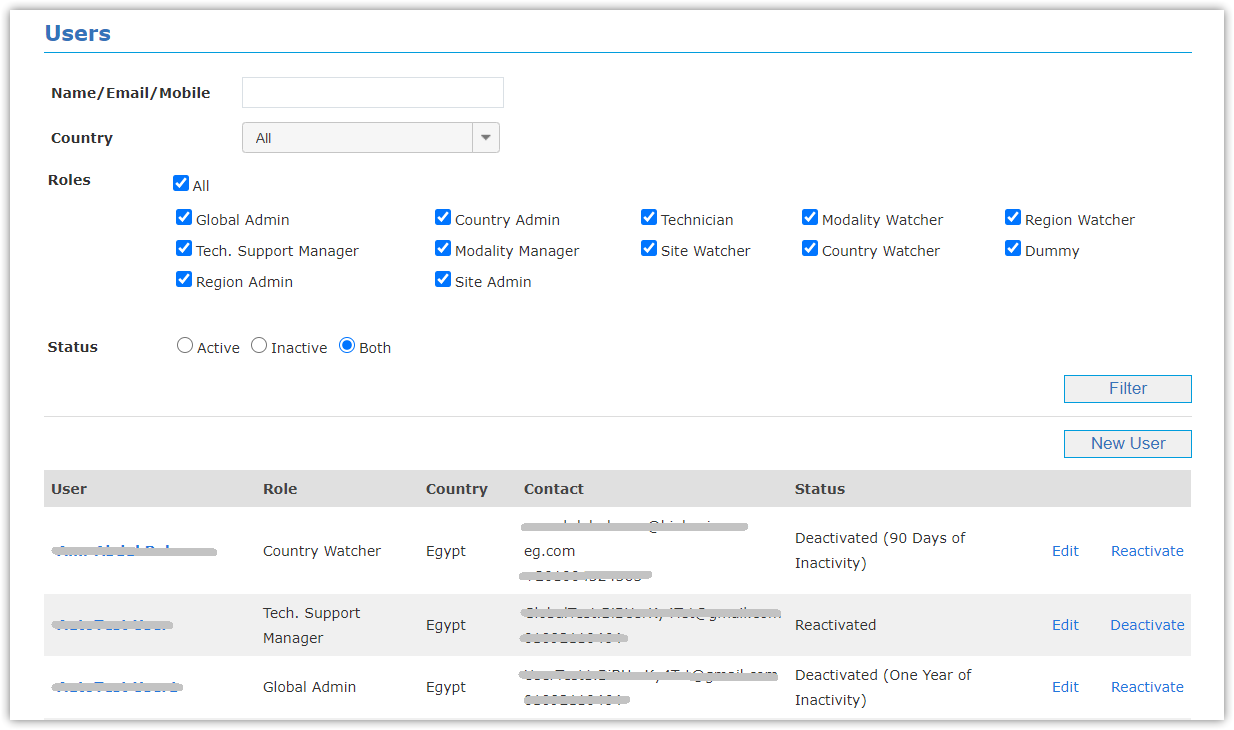
- Filter Users
- Enter user's Name/Email/Mobile.
- Select specific All/Country.
- Select Roles (All or specific roles).
- Select Status (Active, Inactive or Both).
- Click Filter button.
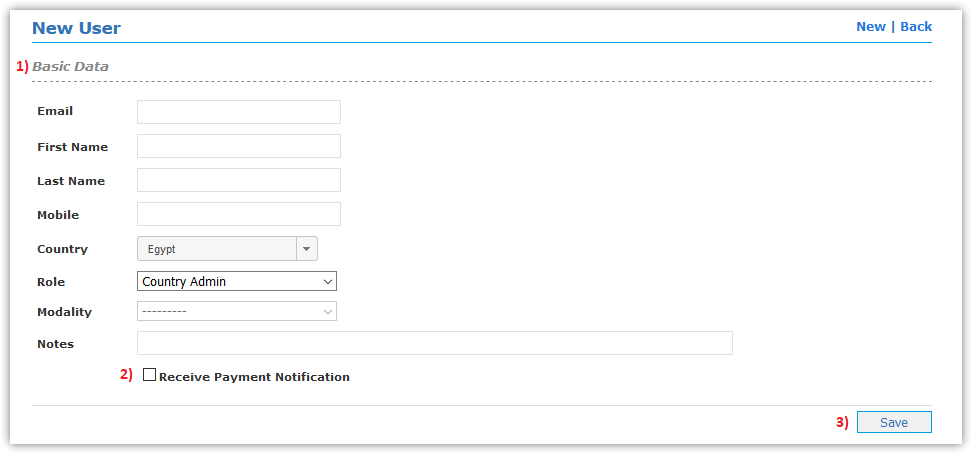
- Add New User
- Enter user's Basic Data (Email,First & Last name, Mobile, Country, Role, Modality and Password).
- Select if user is responsible for Receiving Expiration Notification or not.
(This option is valid only in case of user’s role is (Global Admin, Region Admin, and Country Admin))
- Click Save button.
- Then password is sent to user's email automatically
- User can update password later from Edit Profile page
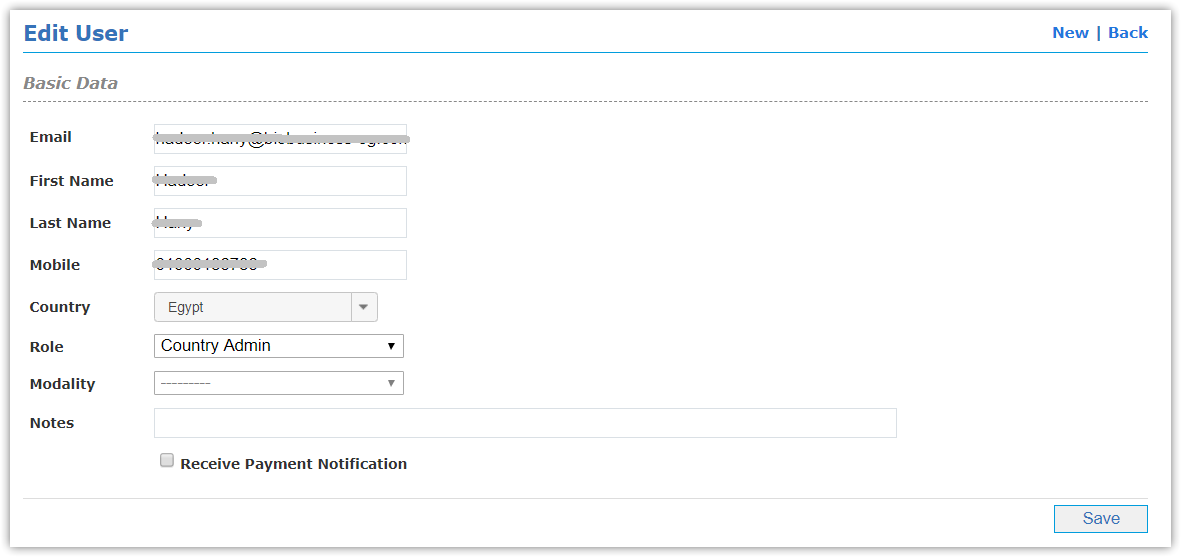
- Edit User's Data
- Reactivate & Deactivate Users
Authorized users can:
- Reactivate users in case any of User Inactivity condition happens as declared in Login Process chapter
- Deactivate users if their accounts aren't used anymore