
Inspector™ Cloud Subscription
Renewal Process:
- Cost calculation unit is subscription credit point
- Credit point gives 1 month of subscription (point costs $10)
- Example: one year renewal for 10 sites, requires 120 points (that costs $1200)
- Client requests subscription credit, through one of two options:
- Using auto-generated quotation (see Renewal Cart page)
- Client can purchase subscription credit along with hardware purchase
- BioBusiness records credit purchase invoice on Inspector website according purchase order
- Credit is recorded along with invoice, and an activation code is sent to responsible person to activate/renew sites
Activation Code Example:
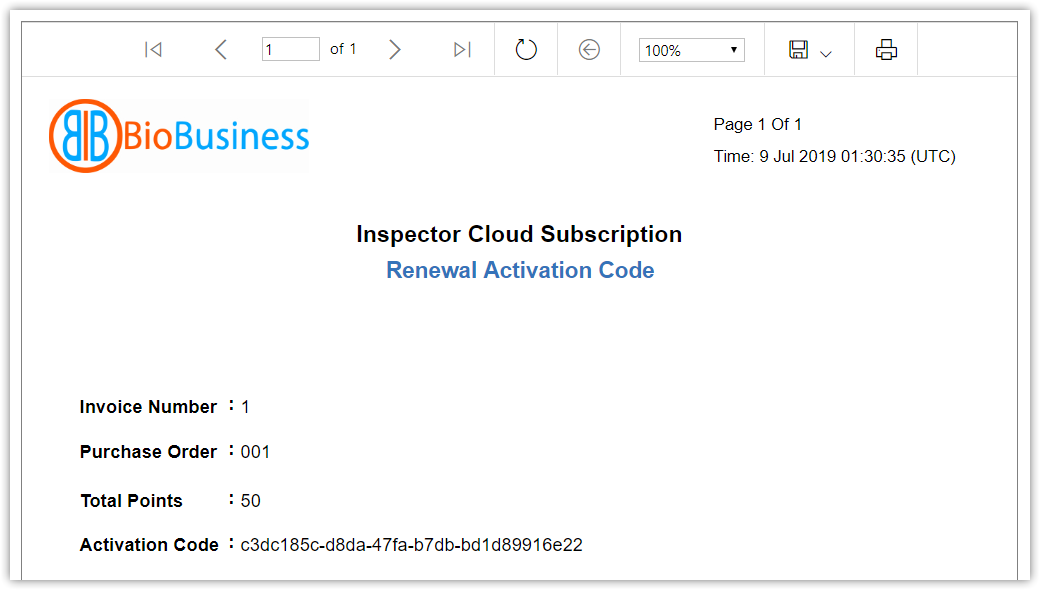
|
If a renewal process doesn’t consume whole credit points, remaining credit is preserved for further renewal, using the same activation code. |

|
Don't share activation code, as it can be used in any country as long as credit is not completely consumed. |

- Site is created on cloud.
- Site shall be activated within two weeks.
- If not activated, site expires, and waits for re-activation.
- For new/existing sites, when expiration date is soon, pre-configured users are auto-notified periodically by email.
- Also, a notification label appears in site-related pages (info, readings, trend, power quality).
- Once a site is expired, it's removed from dashboards, site lists (except My Sites), and site-related pages (except header of Current Readings page).
- Alarm monitoring is stopped for expired sites.
- Expired sites keep saving packets for one month.
- When deactivation date is soon, pre-configured users are auto-notified periodically by email.
- One month after expiration, site is deactivated, and system stops saving packets.
|
When a site is renewed before expiration date, renewal interval starts from expiration date. When a site is re-activated after expiration, renewal interval starts from re-activation date. |