Main Board Modification Instructions
Due to Hard Shipping Circumstances, sometimes the thermal resistance gets ripped off its place (connectors) and it must be placed again on its place one way or another.
This will help you fix the ripped of thermal resistance and explain how to fix the thermal resistance using specific tools and instruments.
Thermal Resistance Handling Solutions
First Solution:
If only one of the resistance terminals is ripped off and need to be soldered back use lead and soldering machine to fix the resistance terminal on its place.
|
Please check Inspector main board first, if the thermal resistance is connected properly on its place without any damage DO NOT FOLLOW the coming steps. If the thermal resistance terminal is ripped off but the track is not damaged, please use the first solution. If the track is damaged, please use the second solution. The plastic frame will be sent by order only if needed. |

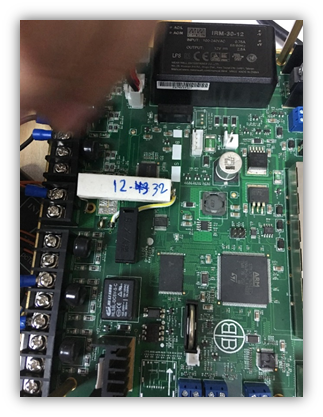
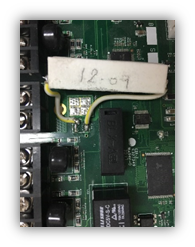
If the connector track itself is ripped from its place and the resistance terminal can’t just be soldered back to this connector, in this case scratch the green mask of the track of the connector and solder your resistance terminal that is ripped off before to this scratched spot in the track of the connector.
If scratching the green mask and finding the proper track is not the favourite solution try to connect the ripped off resistance terminal to the resistance number (R165) from the side near the thermal resistance.
Third Solution:
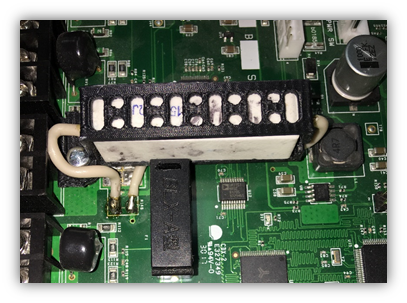
Remove the thermal resistance from its connectors totally and insert the thermal resistance inside the plastic frame will be delivered with every Inspector board, after inserting thermal resistance properly solder its two terminals on its connectors, or if the track is damaged use the second solution to find a proper spot to be soldered, the plastic frame.