
Sites Status Dashboard
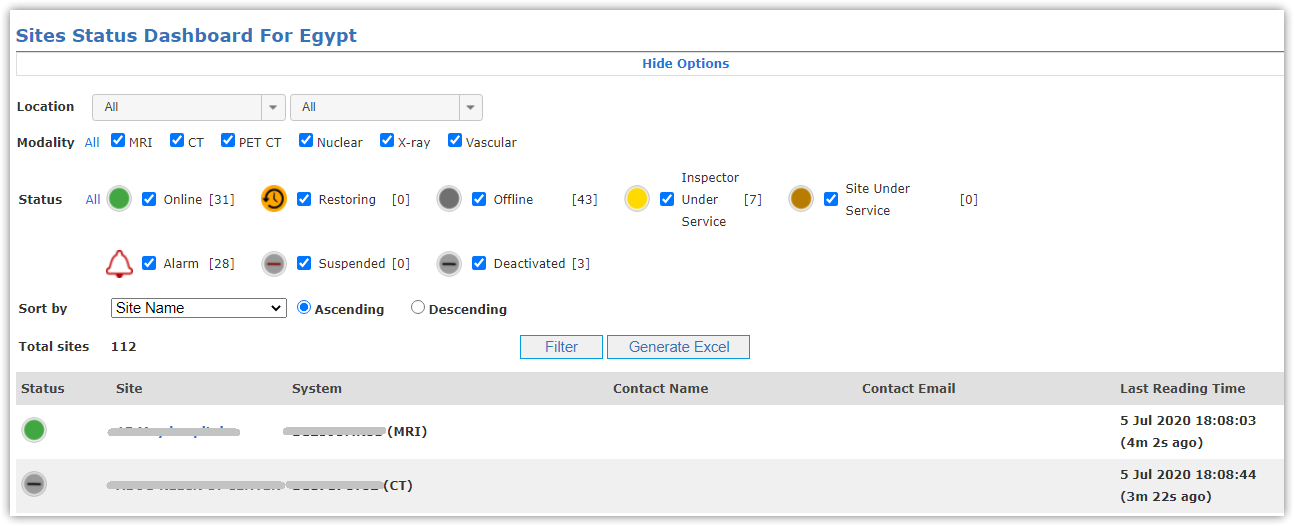
This dashboard represents (Sites’ Status, Alarms ,Name, System ID, Modality, Contact Name, Email and Last Reading Time)
of sites per country;
- Select your location from locations list.
- Select Modality type (MRI, CT, PET CT, Nuclear, X-ray, vascular or All).
- Select Status type (Online, Restoring, Offline, Inspector Under Service, Site Under Service, Alarm or All).
- You can sort sites by Name/Last Reading Time in Ascending/Descending order.
- Click Filter button.
- Click Generate Excel button to get an excel sheet for site’s data displayed.
You can also hide filtration options to monitor only all sites loaded in page.
In case of sites with alarms, number of alarms is displayed beside site's status.
