
Fixing Inspector On The Wall
Wall And Anchor Specifications:
- Recommended Wall Material

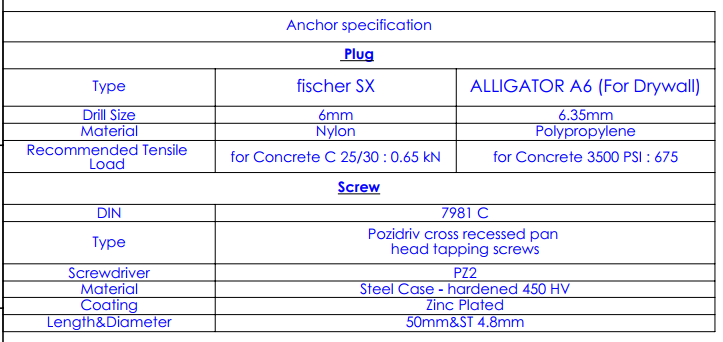
- Anchor Specifications
Fixation Procedure
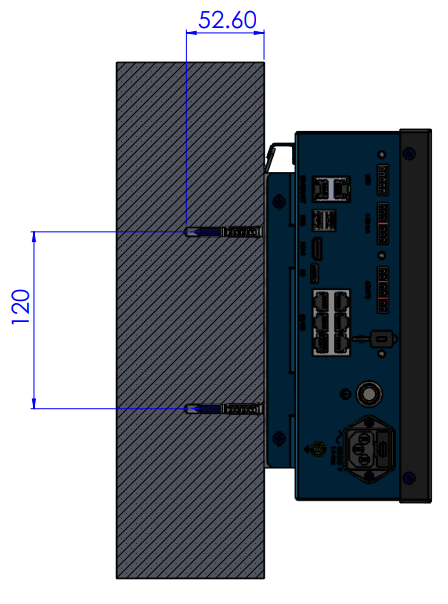
- Drill four Ø8 mm holes in the wall and insert the Fischer anchors.
- Mount the bracket on the wall using four self-tapping screws (ST 4.75 mm × 50) with a PZ2 screwdriver.
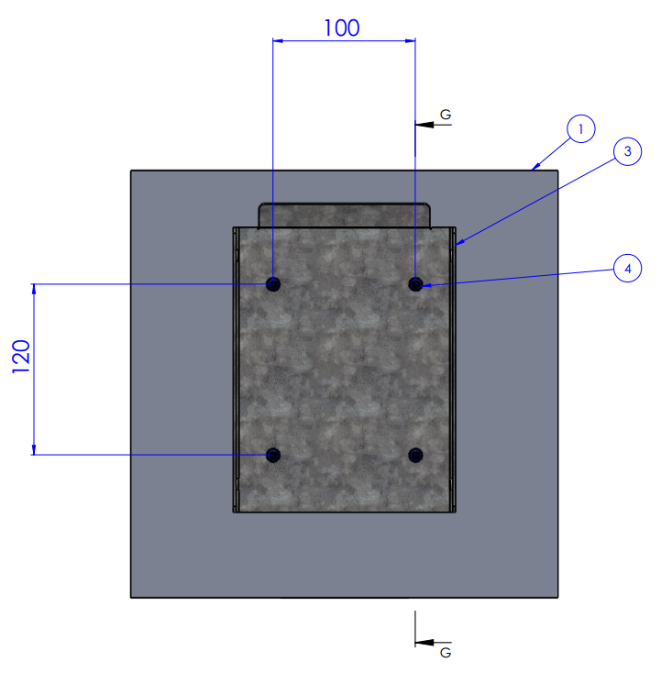
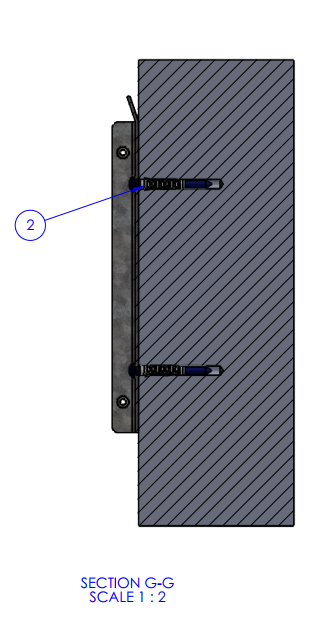
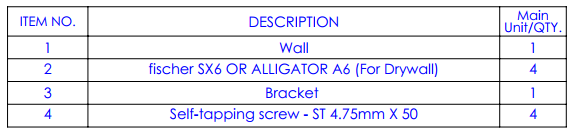
3. Hold the main unit Up to the bracket
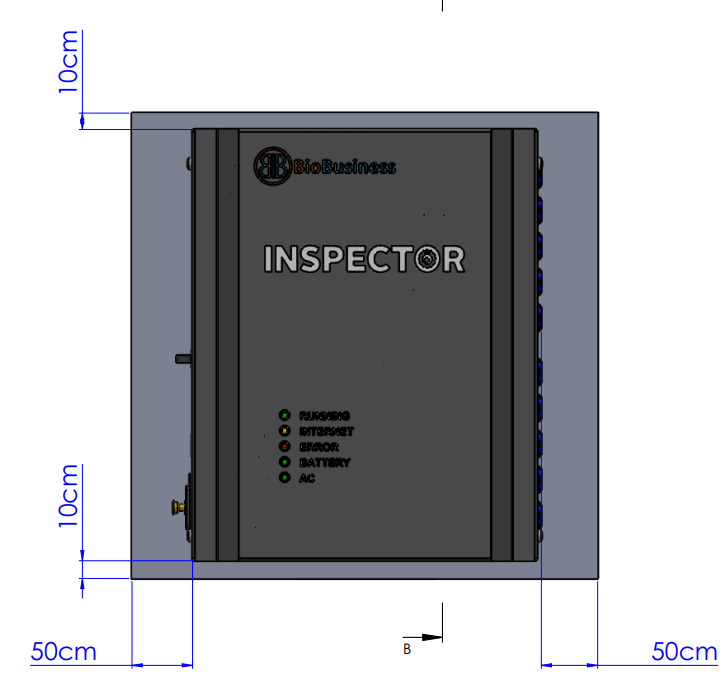
Note: Make sure that the distance between the Inspector device and any side wall is not less than 50cm
- Drill two Ø6 mm holes in the wall and insert the Fischer anchors.
- Install two self-tapping screws (ST 4.75 mm × 50) using a PZ2 screwdriver and leave a 2.5 mm gap between the wall and the screw head.
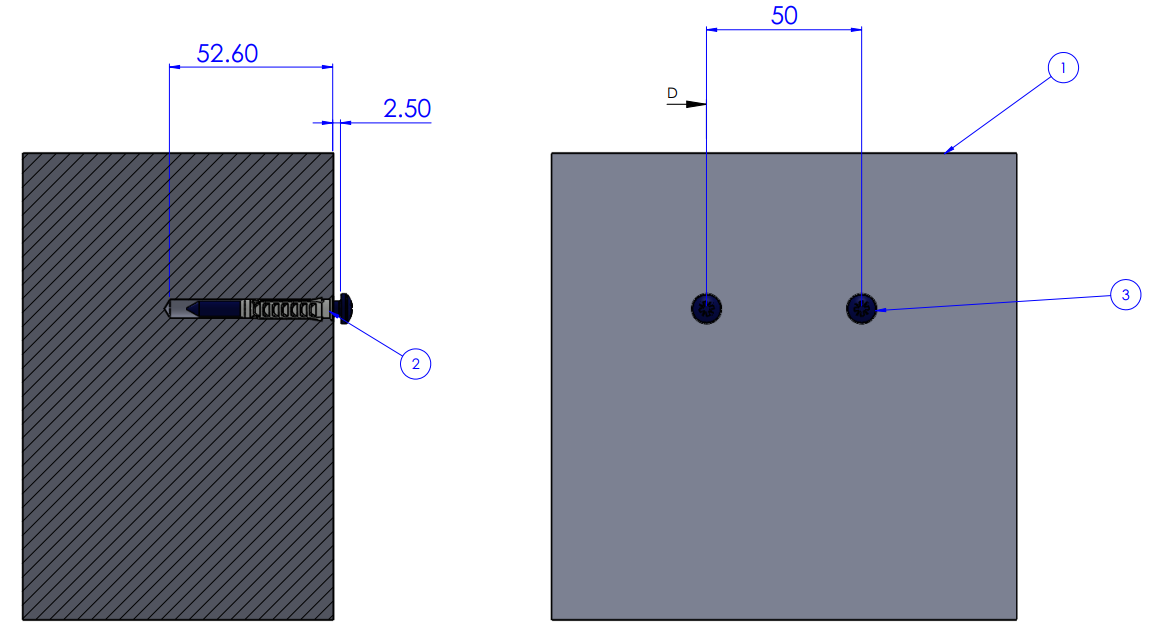

3. Mount the module onto the screws.
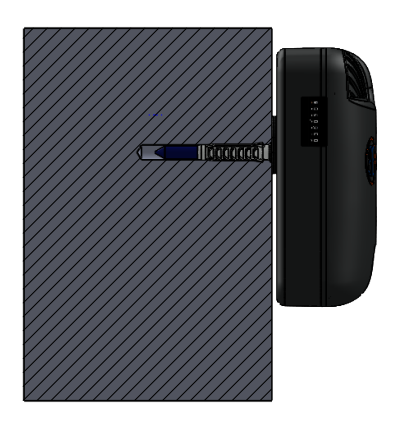
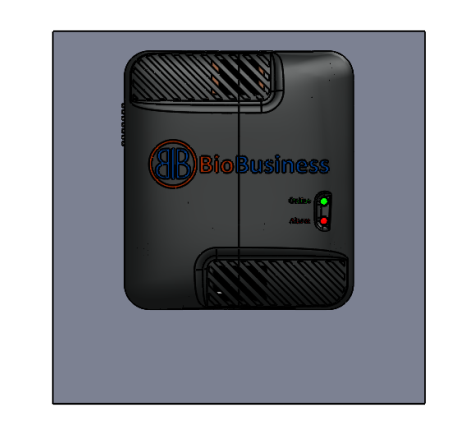
Fixing The Motor Measure Unit (MMU)
- Drill two Ø6 mm holes in the wall and insert the Fischer anchors.
- Install two self-tapping screws (ST 4.75 mm × 50) using a PZ2 screwdriver and leave a 2.5 mm gap between the wall and the screw head.
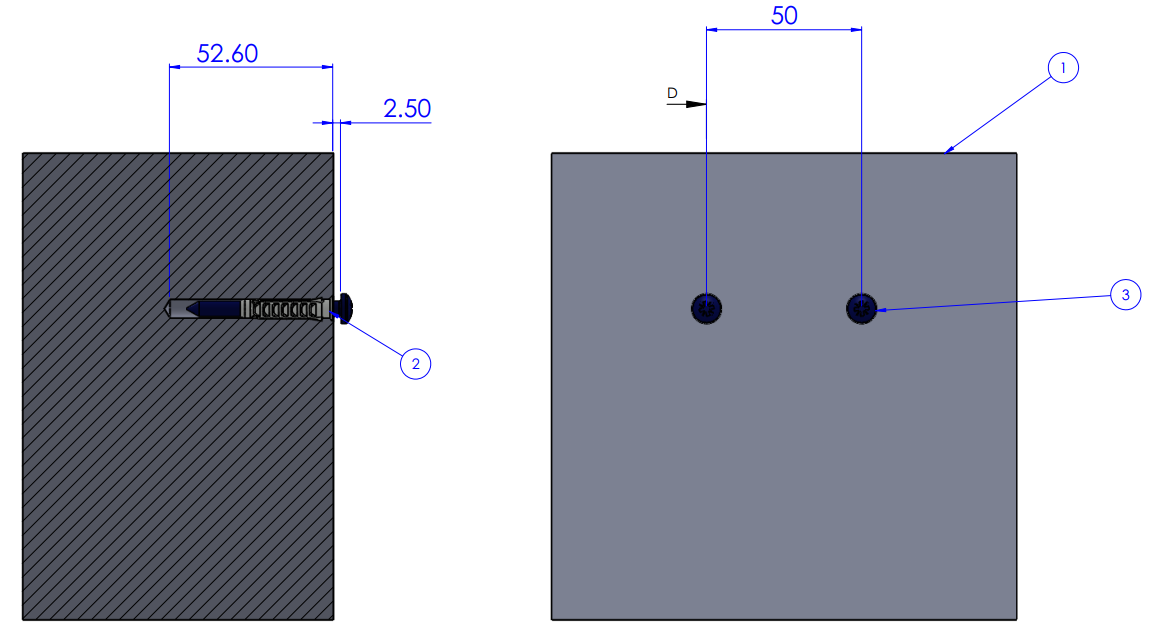

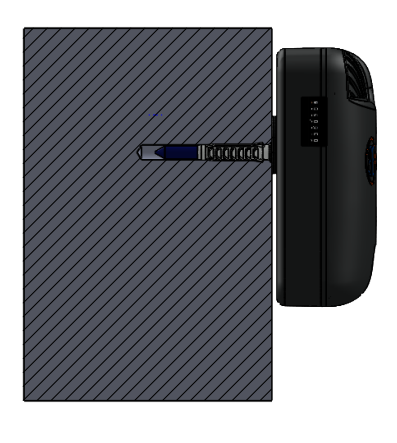
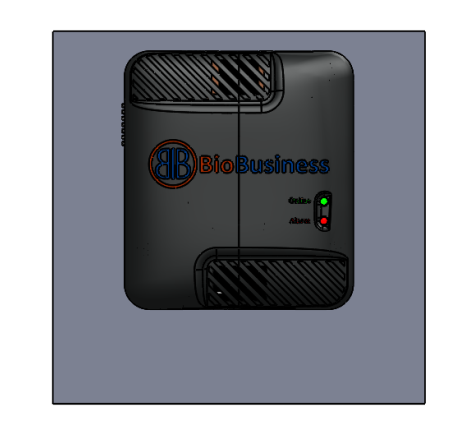
3. Mount the module onto the screws.
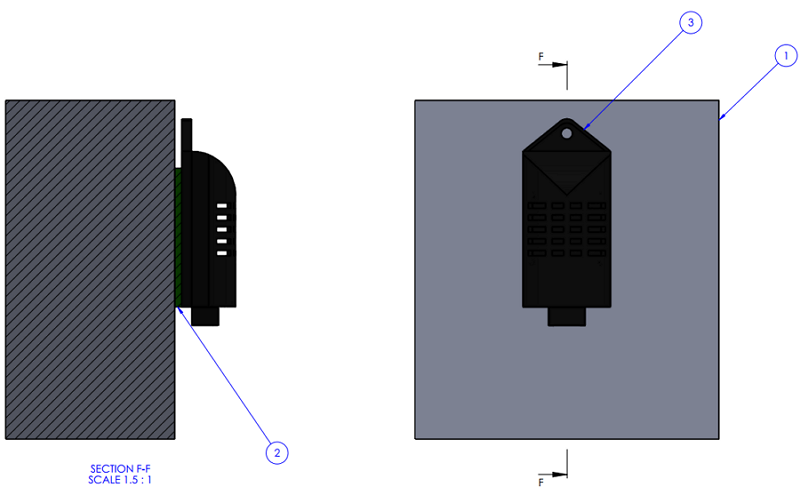
Fixing The HTC And ATMP Sensors
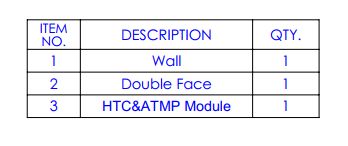
- Apply double-sided adhesive tape to the back of the module.
- Attach the module to the wall.
Created with the Personal Edition of HelpNDoc: Leave the tedious WinHelp HLP to CHM conversion process behind with HelpNDoc