
Power Quality Events
This page displays all detected power quality events within a selected time interval and provides tools for filtering, analyzing, and exporting the results.
Event Retrieval Limits:
The system allows retrieving up to 300 events at a time, provided that the selected time range does not exceed 30 days. If either limit is exceeded, a notification is displayed requesting adjustment of the selection criteria.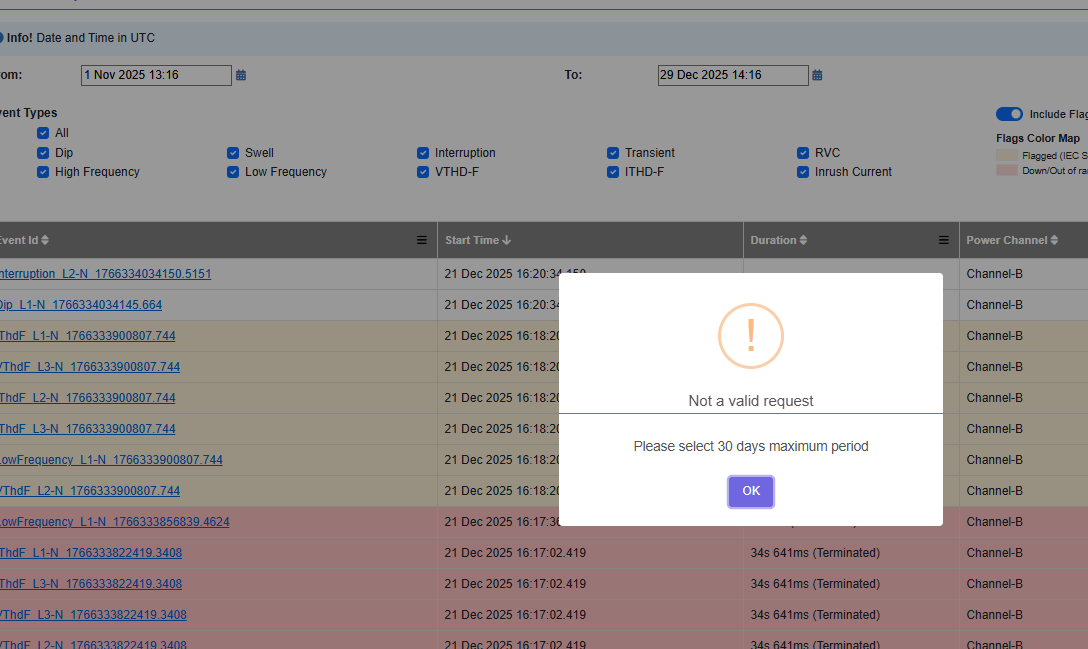
Filtering and Configuration:
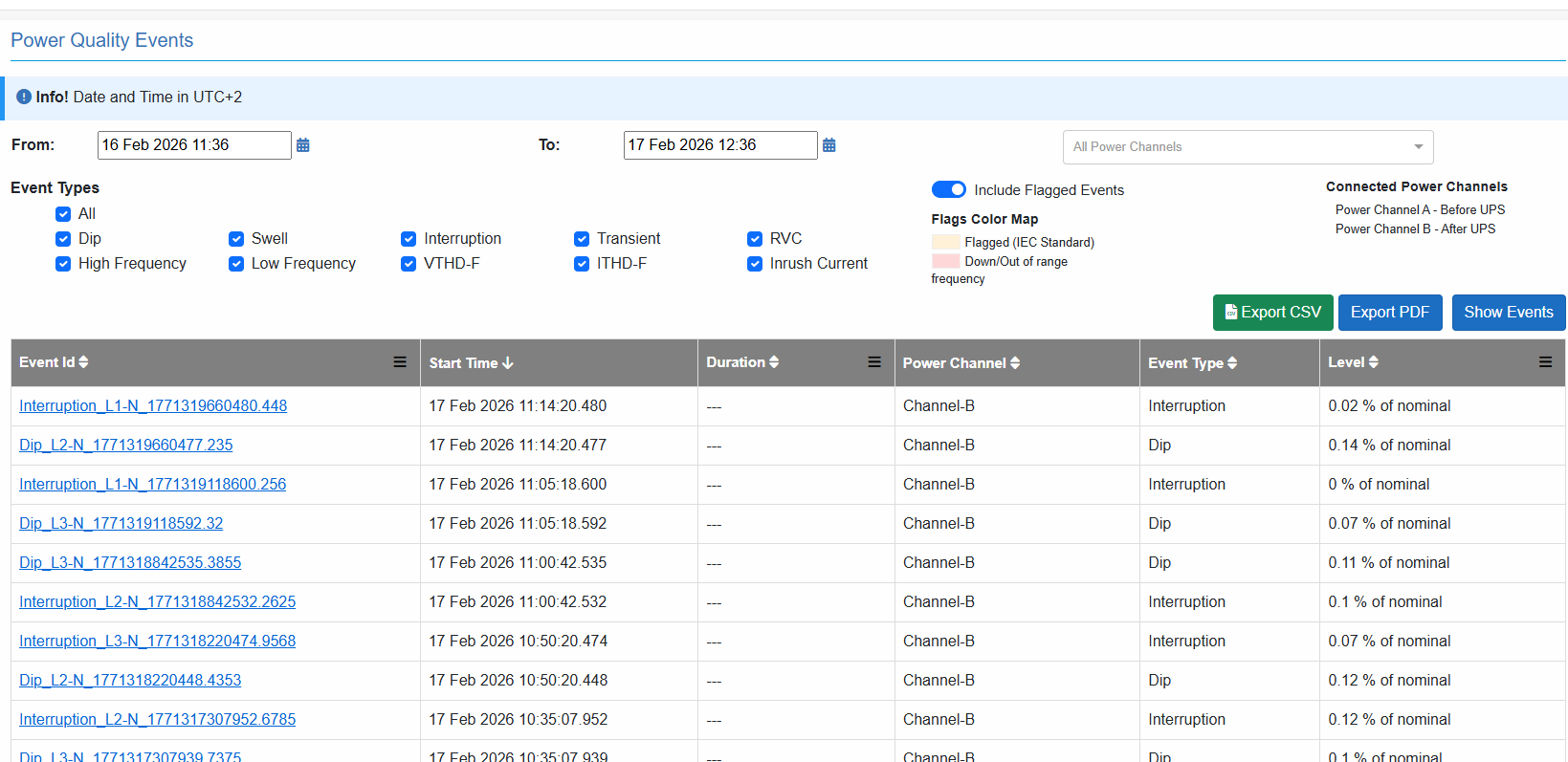
The displayed events can be refined using multiple filtering options:
- Events may be filtered by selecting a specific power channel from the drop-down list.
If no channel is selected, events from all available channels are displayed. - Additional filtering can be applied by selecting one or more event types such as Dip, Swell, Interruption, RVC, Transient, or THD.
- It is also possible to include or exclude flagged events, depending on the required analysis.
- All selected filters are applied simultaneously, and the results table is updated accordingly.
Event Interaction
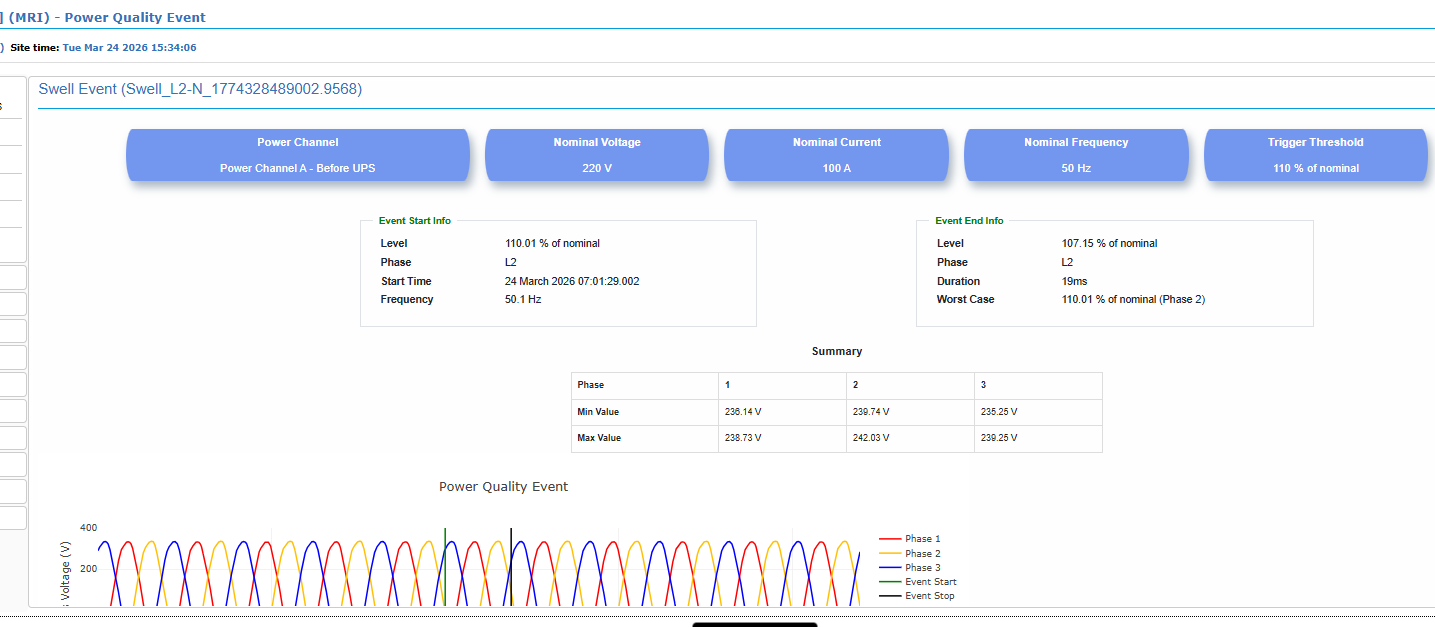
Clicking on the Event ID opens the detailed event page.The event details page includes:
- Trigger configuration (nominal values and thresholds)
- Detailed event parameters
- Associated waveform data
Flagged Events Visualization
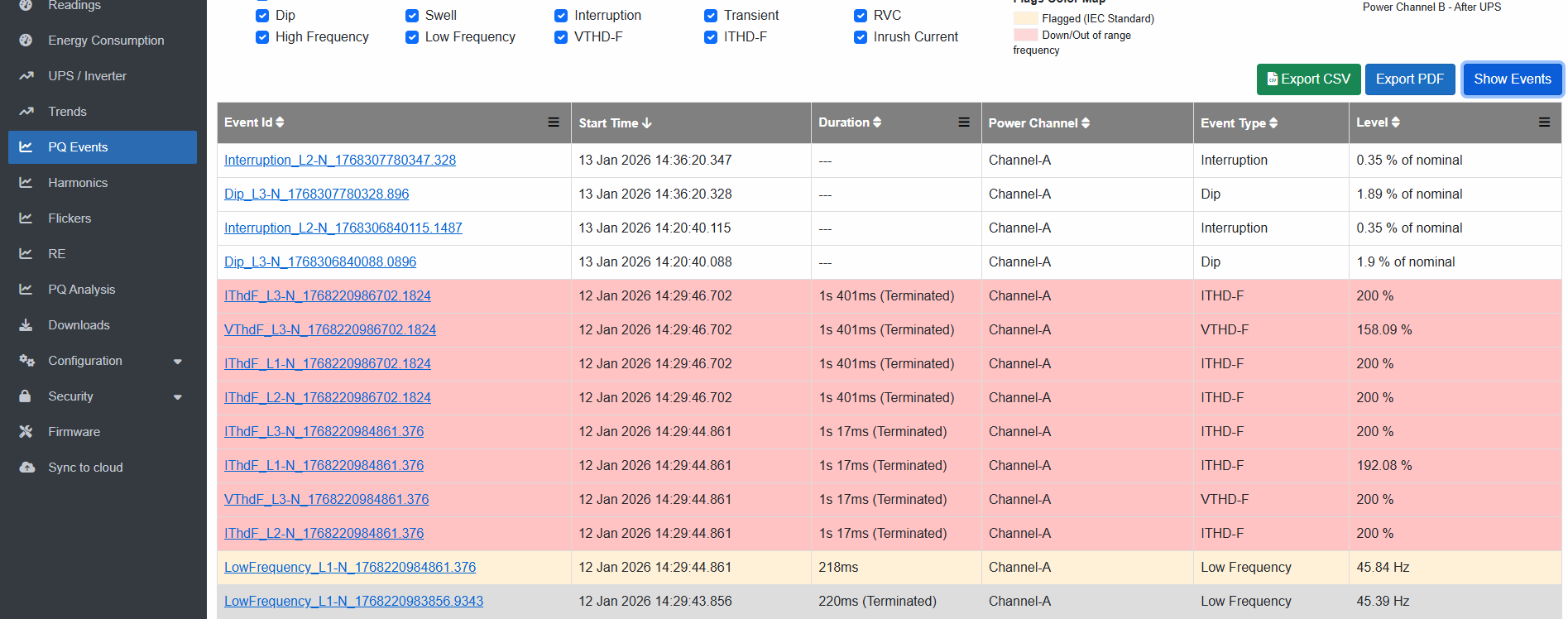
- Flagged events are visually distinguished in the results table using color highlighting.
- Each color represents a specific classification or severity level.
- This allows quick identification of critical or abnormal events.
Data Export
The system provides options to export the displayed data for reporting and further analysis:
- Export as PDF report
- Export as CSV file
The exported data reflects the currently applied filters and displayed results.
Event Recording Behavior
A snapshot of the power line waveforms during each event is automatically captured and stored for analysis.
The waveform recording follows the rules below:
- A pre-event and post-event window is always included:
- 100 ms before the start of the event
- 100 ms after the end of the event
- If the event duration is less than or equal to 300 ms:
- The entire event duration is recorded
- The event is reported as a single complete snapshot
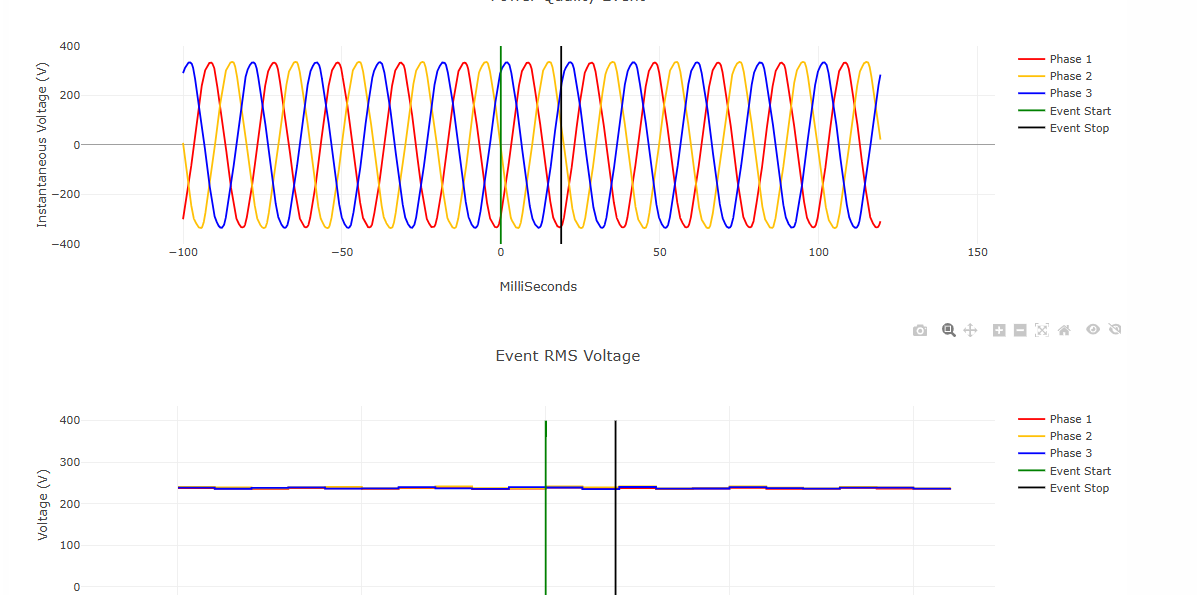
- If the event duration is greater than 300 ms:
- Only a partial waveform is stored, including:
- The first 150 ms of the event
- The last 150 ms of the event
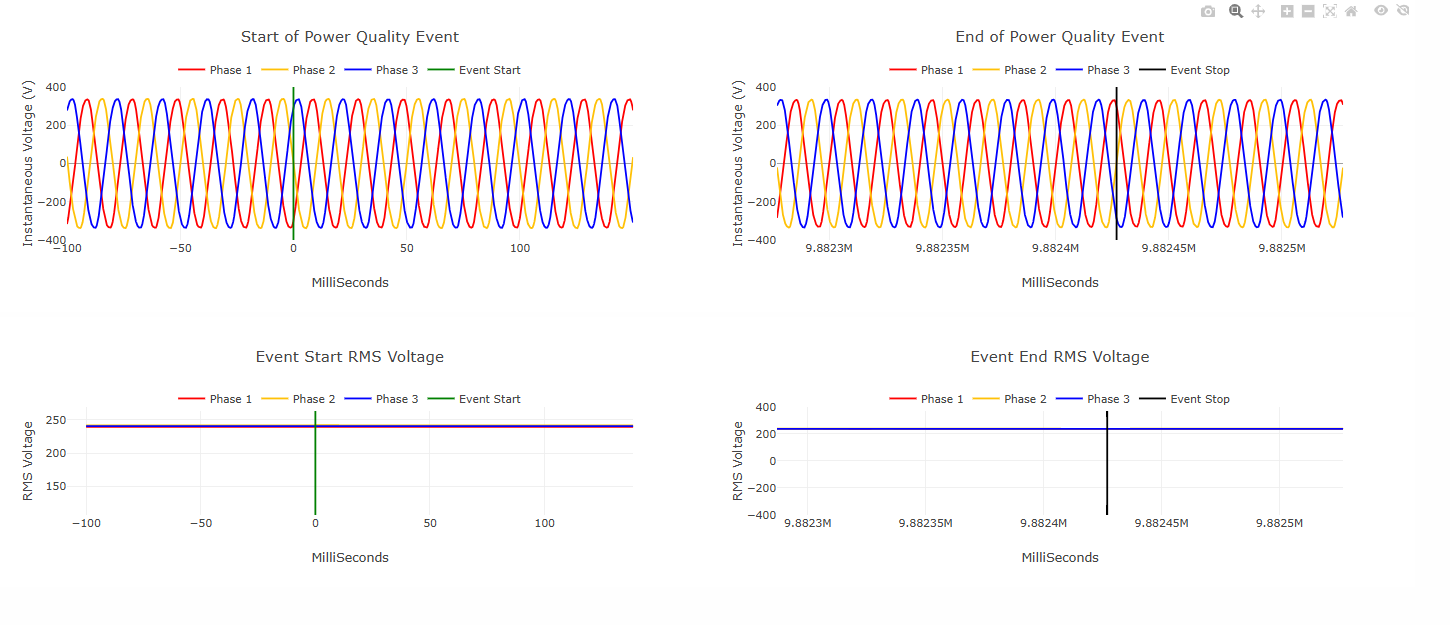
- If the page is accessed while a long event (> 300 ms) is still active:
- Only the initial part of the waveform is available
- This includes:
- 100 ms pre-event data
- First 150 ms of the event
- Events are automatically recorded when predefined thresholds are exceeded.
- If an event is still active, the duration is masked by three dashes (---).
- If the system goes offline while an event is active, the event remains open and is not automatically closed.
- The event will continue to be updated once the system resumes operation.
Supported Event Types
The system detects and records multiple types of power quality events, including:
- Voltage Dip
- Voltage Swell
- Interruption
- High and Low frequency
- Rapid Voltage Change (RVC)
- Transient
- Inrush Current
- Voltage and Current Total Harmonic Distortion ( VTHD-F & ITHD-F)
Each event type has its own characteristics, trigger conditions, and recorded parameters.
Waveform Recording Overview
For each detected event, waveform snapshots are automatically captured to support detailed analysis.
- A predefined duration is recorded before the event start and after the event end.
- The exact recording behavior depends on the event duration.
- Both waveform data and associated RMS values (for RMS-based events) are stored.
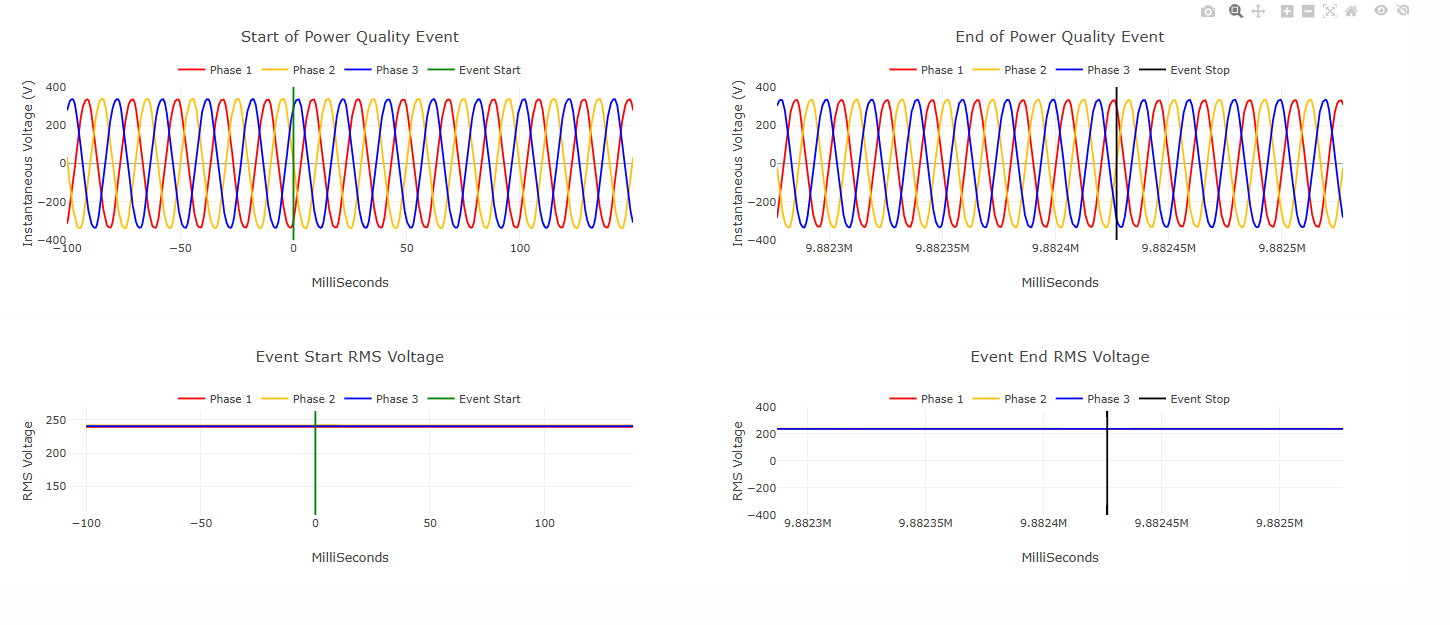
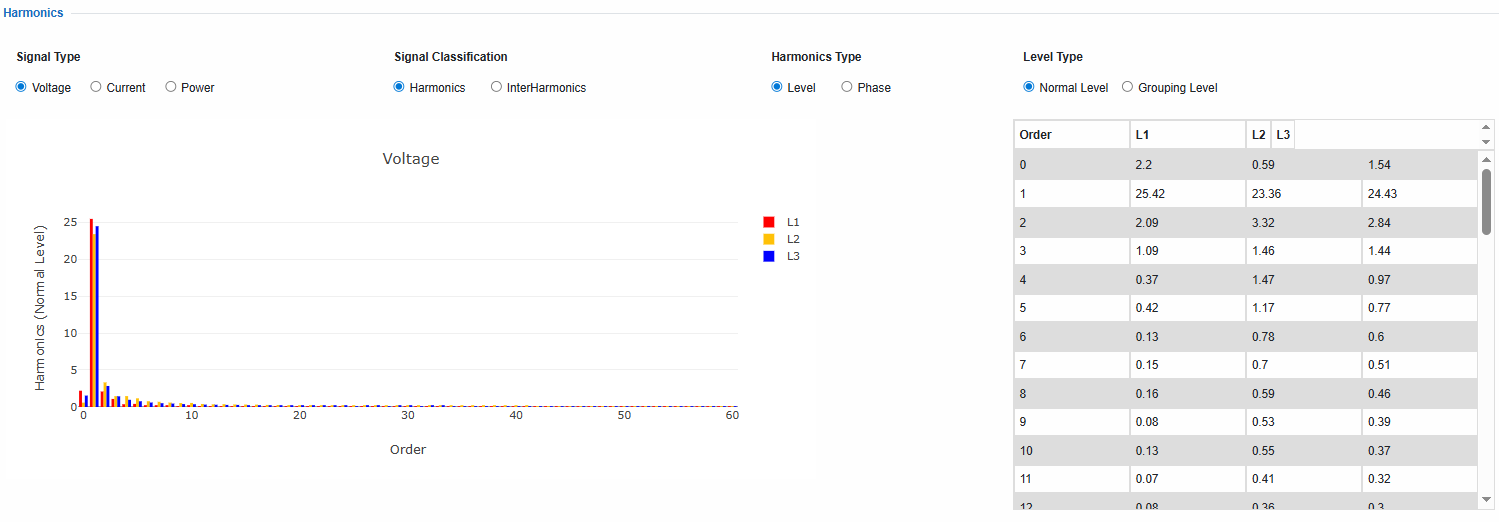
- In addition to the common waveform representation, some event types include additional data or visualizations depending on their characteristics. For example:
- In THD events, a snapshot of the harmonic components at the trigger instant is included.
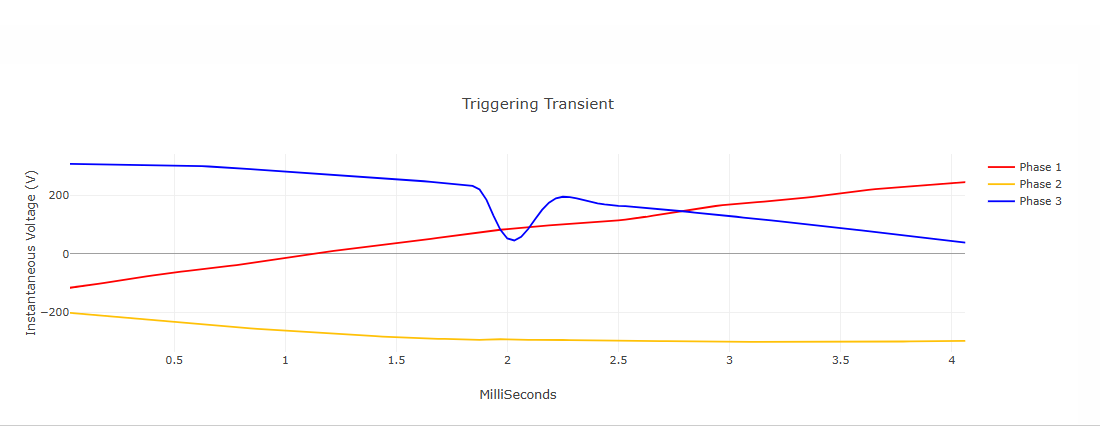
- In Transient events, a high-resolution snapshot from the waveforms of the triggering transient is included.
Created with the Personal Edition of HelpNDoc: Benefits of a Help Authoring Tool