BioBusiness Router Default Configurations
|
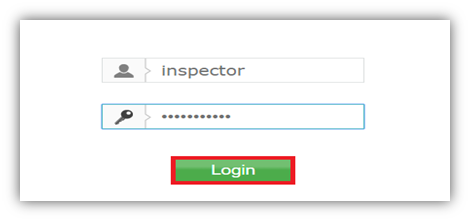
To configure TP-LINK router, use Inspector's: Username: inspector Password: Bio1234!@#$ |

- Navigate to TP-LINK Login page using this IP address 192.168.0.254.
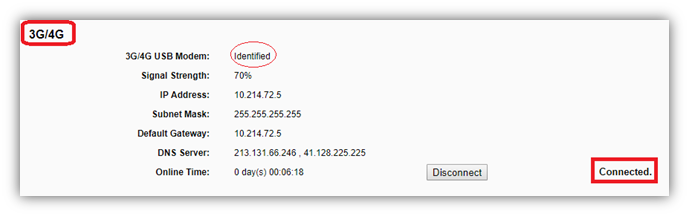
- From Status, make sure that 3G USB modem is plugged to be successfully connected.
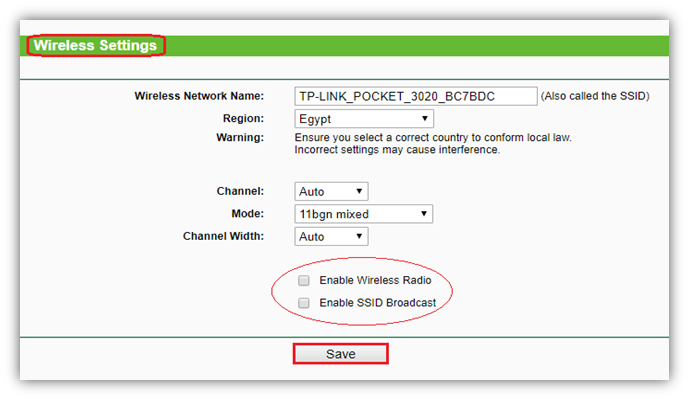
- From Wireless, make sure that wireless is disabled.
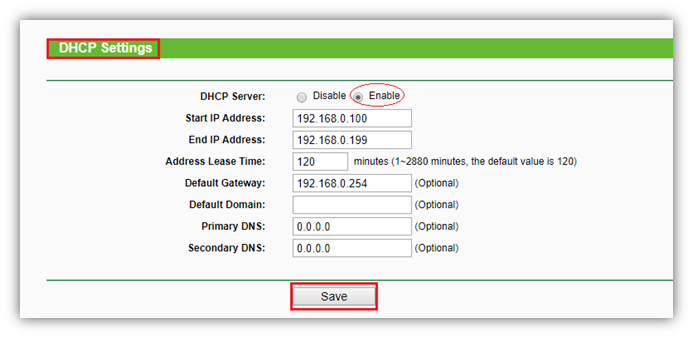
- From DHCP, Enable DHCP server and enter your configurations as following:
- Subnet mask is 255.255.255.0
- IP range is from 192.168.0.100 to 192.168.0.199 as router default
- Default gateway is 192.168.0.254