Debug Connectivity
After setting TP-LINK router configurations as previous and Inspector router configurations as declared in 'Hardware Side' in Software Configurations chapter and their connectivity,
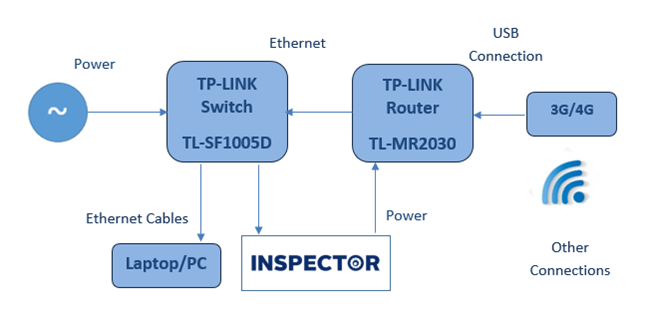
Here is block diagram which represents connectivity for (Inspector, TP-LINK Router, TP-LINK Switch and a Computer) together.
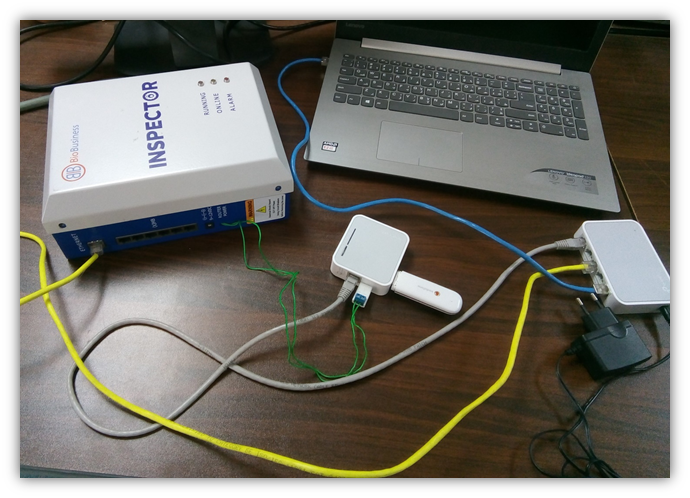
Computer helps to show up entire behavior for Inspector while connecting to TP-LINK router and performs test to check successful connection:
- Yellow cable connects switch to Inspector
- Blue cable connects switch to laptop
- Grey cable connects switch to router
- Green cable connects Inspector to router as power
- Black cable is AC power source for switch
- 3G modem is connected to router