Wi-Fi Connection
Client Mode is a wireless connection between two routers only. A Client Mode router connects to a wireless access point (usually the primary gateway router).
It uses its wireless connection as the WAN interface and shares the internet connection only to the LAN ports.
It is not seen as an access point nor accepts wireless connections by client devices.
A Client Mode router uses its own DHCP server for IP Address, Gateway and DNS server to connected devices.
Client Mode Set up:
The Router/AP that you are trying to connect to is the primary router and the Router you are configuring is the client router.
To configure client mode:
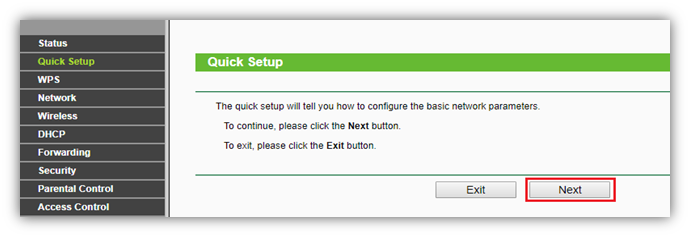
- Switch the mode to Travel Router (AP) Mode, run Quick Setup and from Quick setup, Click Next button.
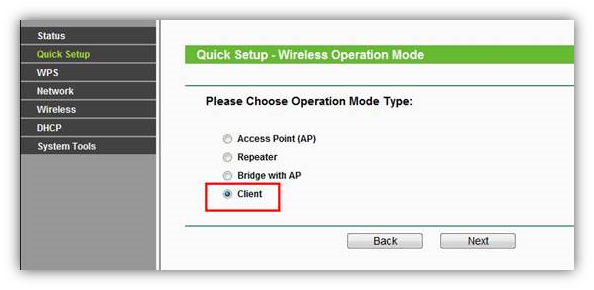
- Select Client and click Next button
- Click Survey button
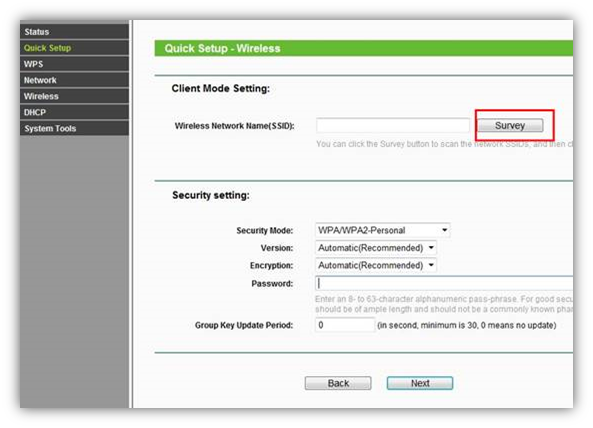
- Locate your router network name under the SSID column and then click Connect.
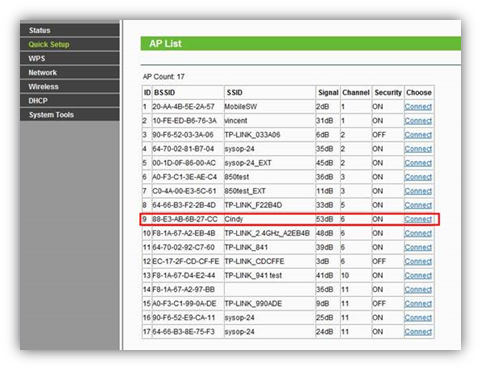
- Click Next button.
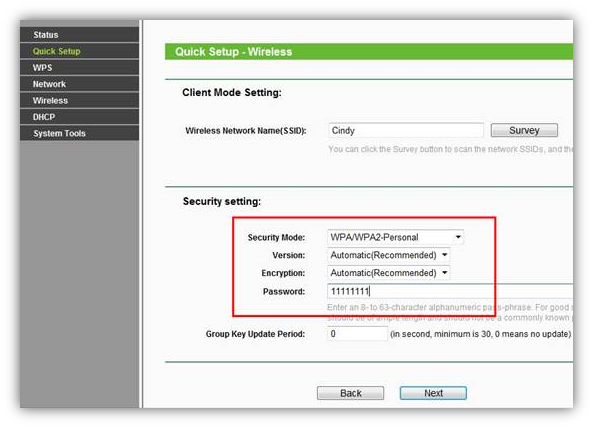
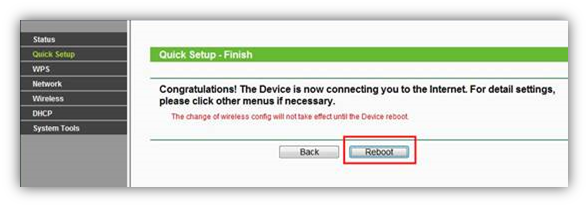
- Click Reboot button and wait until it goes to 100% percent.