
Firmware Package Update
When a firmware package is provided by BioBusiness, only the admin user can upload it to update the device.
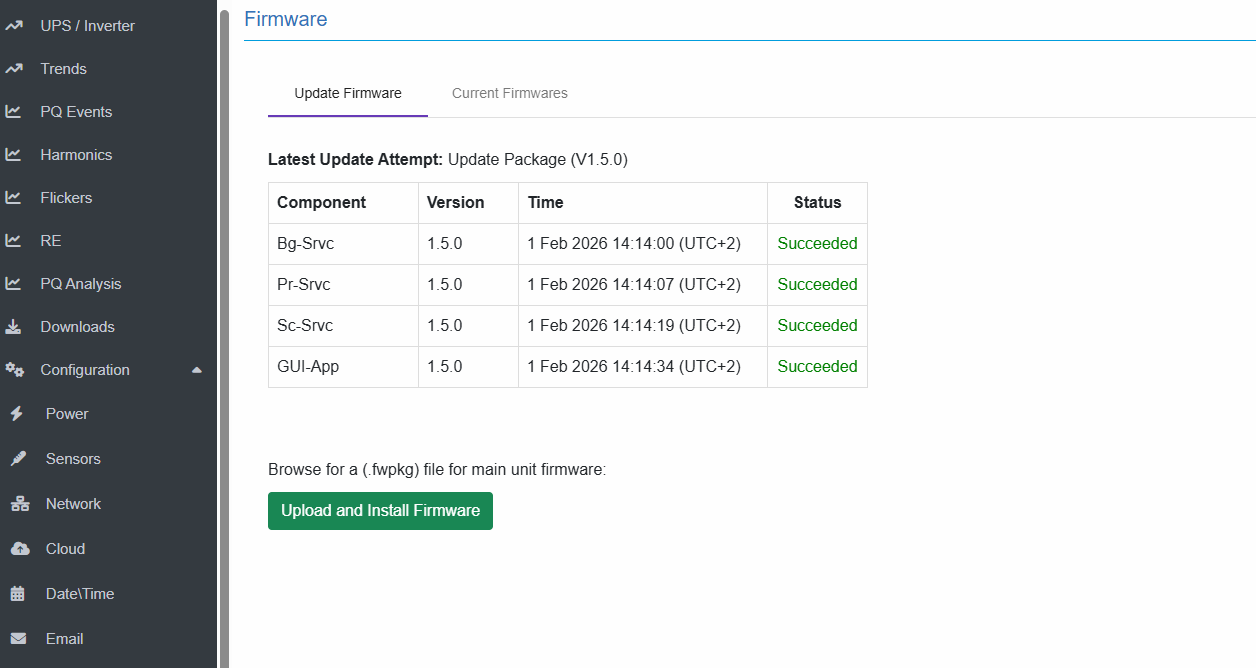
- Select "Upload and Install Firmware".
- Wait for the update process to complete.
- Verify that the firmware version and update time are displayed successfully.
 IMPORTANT: Do not power off the device or disconnect it from the power source during the firmware update process.
The last update attempt information (version and time) is provided in this section.
The included firmware components are listed along with their version, update status, and successful update time.
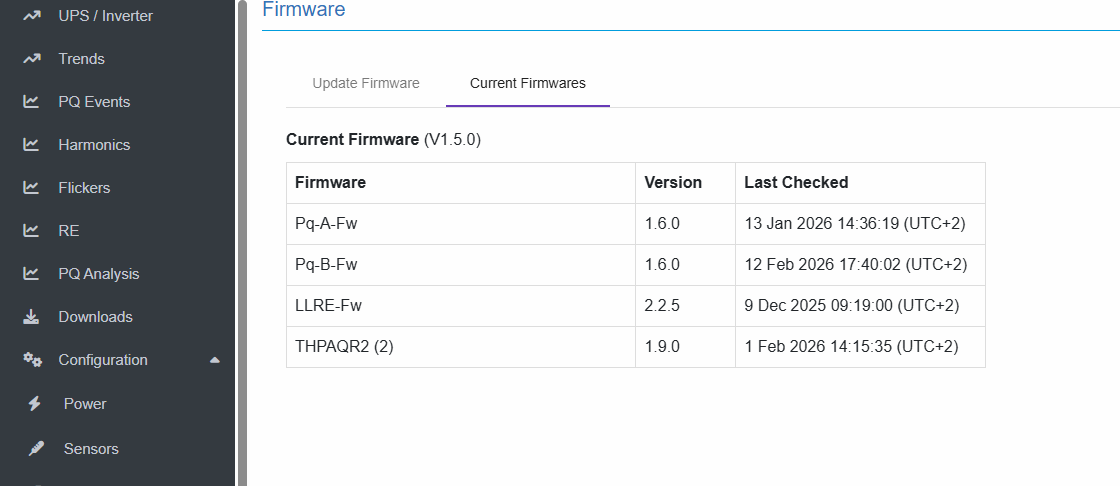
In the Current Firmware tab, the last detected firmware versions of the Power Quality and LLRE boards are displayed, along with the time at which the information was detected. Typically, these versions are read during system startup.
Created with the Personal Edition of HelpNDoc: Revolutionize Your CHM Help File Output with HelpNDoc