
Sensors Configuration
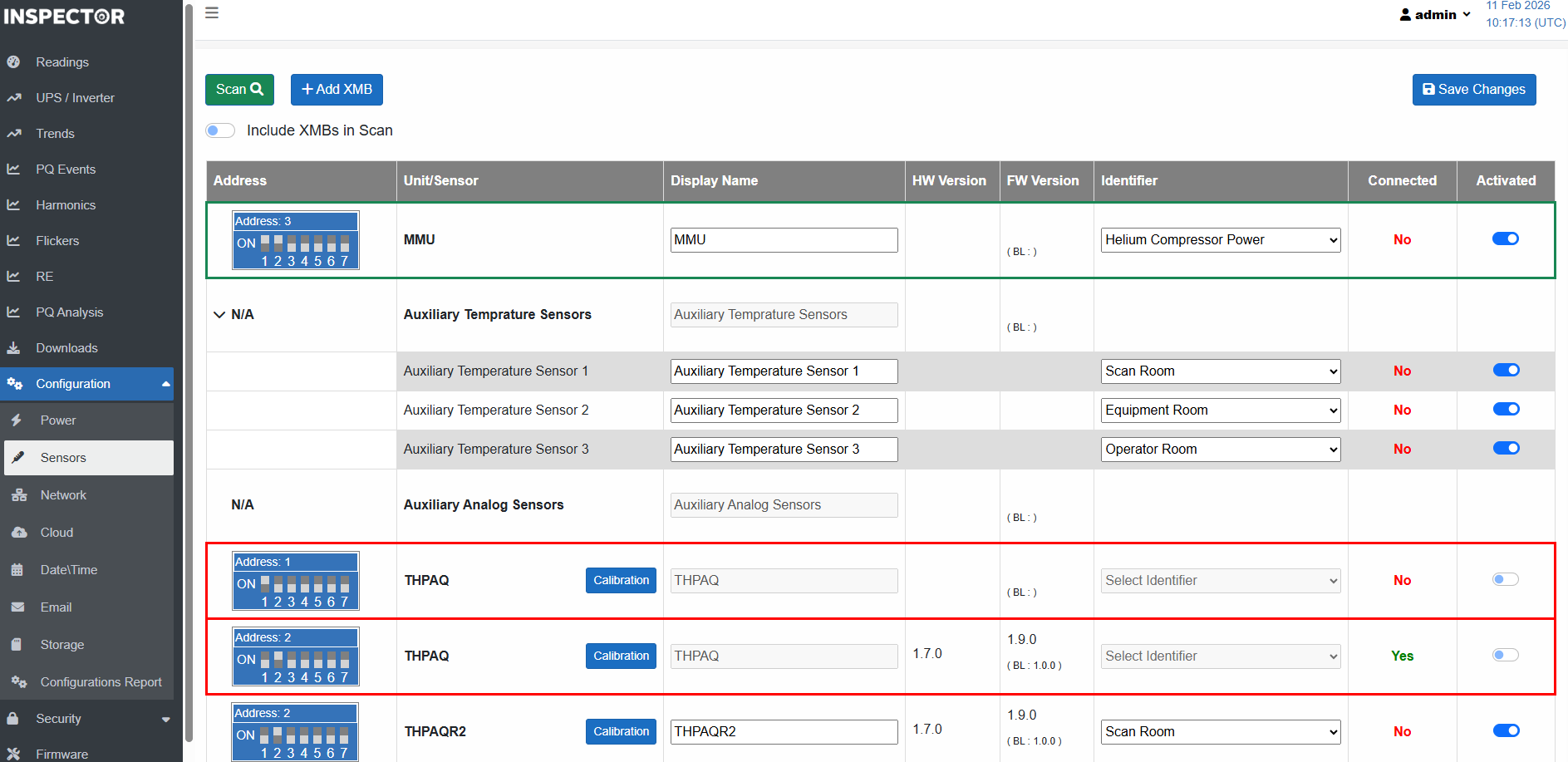
This page is used to detect, configure, activate, and calibrate connected XMB units and sensors.
After connecting one or more sensors or XMB units, click the " Scan" button so that Inspector finds the
connected sensors and/or units.
Note:: Scanning usually takes around 40 seconds.
- Make sure that all desired sensors/XMBs appear in the list with the status "Connected = Yes".
*Otherwise, please double check the cables and connectors, and make sure there are no duplicate addresses. - For each sensor, unit, and also power channels, you can select an 'Identifier' from the list, indicating how the sensor or unit is used. This tells the cloud how to map the readings coming from the device.
- The identifier acts as a tag for the sensor or XMB, which represents how/where it is being used in site.
For example: Two MMU units connected to the same Inspector, one monitors the Helium compressor, and the other monitors the water chiller.Then, if a user at the cloud side wants to search for all Helium compressor alarms, filtering by identifier will resolve this case.
- For MMU, you define if the unit is used to monitor Helium Compressor power.
- For environmental sensors, you define whether the Environmental Sensor is installed in the operator room, scan room, or equipment room.
- You can also set a friendly display name of your choice for the sensors/units if you wish.
- Activate the desired sensors and click 'Save Changes'.
If there was one or more configured sensor/unit, and it is not connected anymore, you need to deactivate it, so that Inspector stops searching for it, and stops reporting sensor/ unit failure.
Created with the Personal Edition of HelpNDoc: Easily create EPub books