
Current Alarms Tab
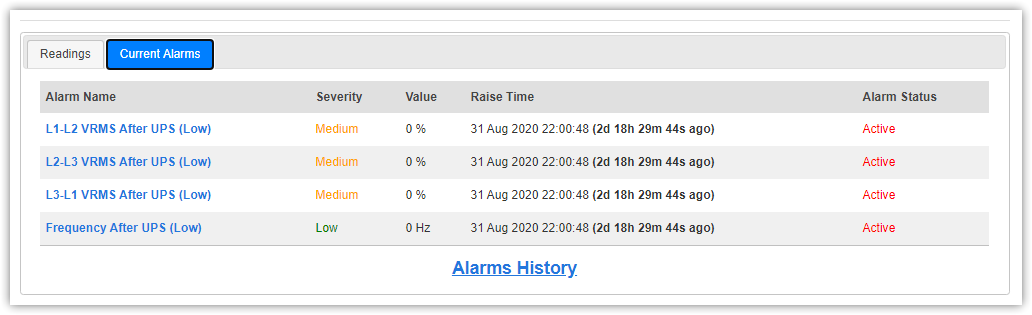
This tab represents all current alarms of site as displayed in Current Alarms page, even suspended alarms, including:
- Alarm Name
- Alarm Severity (Low, Medium, High)
- Alarm Value (if any)
- Raise Time
- Alarm Status (Active, Suspended, Ends after specific interval)
You can get the history for last 24 hours of specific alarm by clicking the alarm name.
You can also open Alarms History page from link below, to get all alarms history of this site for the last 24 hours.
In case of active alarm is suspended for specific interval, alarm status turns into suspended until suspension interval ends,
and back active again.

In case of alarm's back to normal interval is greater than ZERO, this alarm is still raised even if it's closed

You can edit back to normal interval from periodicity time settings in Readings & Alarms tab in Edit Site page.
For more information about alarms behavior and custom conditions, check Alarms Service Process chapter.