
Readings Tab
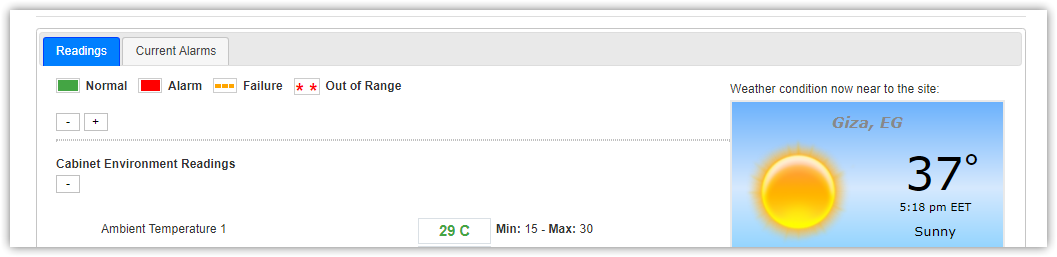
This tab represents readings of sites as following:
- Normal reading in green
- Alarm readings in red
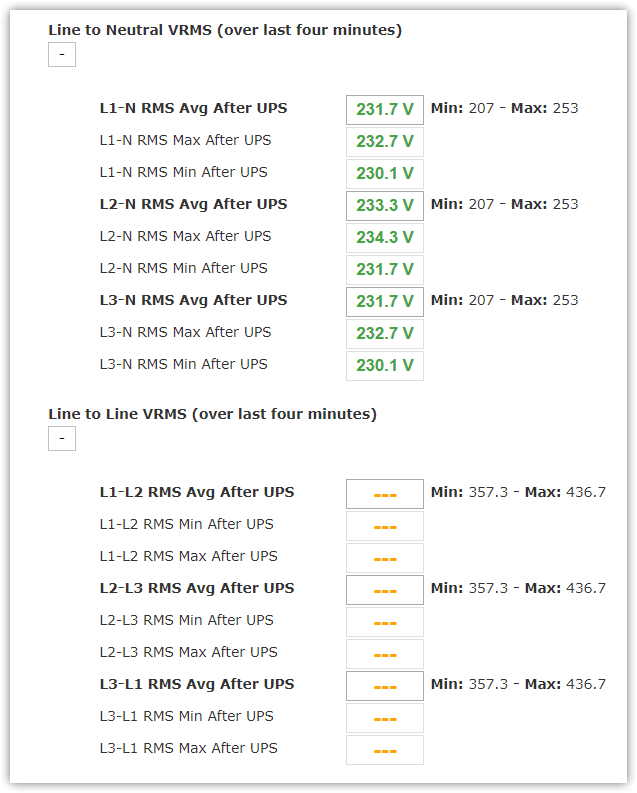
- Failure readings in orange as dashed lines
- Out of Range readings in red as asterisks
Readings are displayed according to power specs and installed measurement units as illustrated in Create New Site page.
For more information about alarms behavior and custom conditions, check Alarms Service Process chapter.
- Cabinet Environment Readings section with (Ambient Temperatures, Humidity and Room Air Quality)
- In case of Parameters Failure, an (i) icon is displayed beside to provide more information about the failure nature
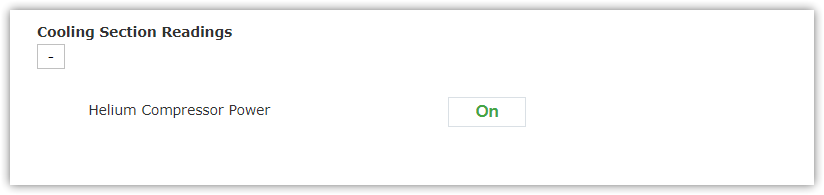
- Cooling Section Readings section represents helium compressor power ON/OFF and input air temperature value
- Power Quality Readings section which declares input/output power to/from Inspector to the system
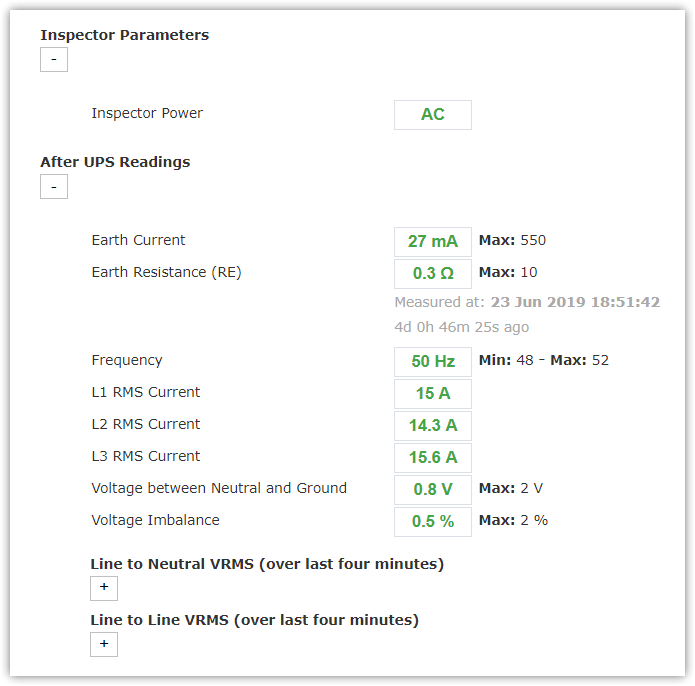
- Inspector Parameters which represents input power to system like AC from source or battery of Inspector that saves some power to continue working
- After UPS which represents power measurements after modifying signal distortion and problems may occur to enhance efficiency of system, and detect issues if exist easily and has three sections:
- Frequency, Voltage Imbalance, Neutral to Ground, Ground Current, Earth Resistance, Line 1 Current, Line 2 Current and Line 3 Current
- Line to Neutral VRMS
- Line to Line VRMS
- Before UPS represents input power measurements before entering the system and has three sections:
- Main Input Power, Frequency and Voltage Imbalance
- Line to Neutral VRMS
- Line to Line VRMS
|
Authorized users can rename environmental parameters with friendly names refer to where sensor is installed. For more information, check 'Readings & Alarms' tab in Edit Site page. |
